

You can use these integrations to check Sigrid findings as you work on your code, triage findings, and export findings to your issue tracker if you're not able to fix them right away.
Have you tried them? We'd love your feedback: Share it in our short survey.
Integrating Sigrid CI with Mendix Pipelines
Please note: QSM is the brand name used by Mendix. In this documentation we refer to the product as Sigrid.
Mendix Pipelines is a continuous integration pipeline built into the Mendix Platform. This document describes how to add a step to your pipeline that triggers a Sigrid analysis of your app.
Prerequisites
- Your app has already been on-boarded to Sigrid. See on-boarding your app below.
- You have a Sigrid user account.
- You have created a Sigrid authentication token that is valid for your customer.
- You know your Sigrid customer name and system name. See finding your customer name and system name below.
- You have configured a Personal Access Token (PAT) and an API Key in your Mendix user settings. Mendix Pipelines requires these to run; they are not used by the Sigrid integration itself.
On-boarding your app to Sigrid
This integration triggers a scan of an app that Sigrid already knows about. It cannot on-board a new app. If you have not on-boarded your app yet, do that first, using either:
Finding your customer name and system name
Log in to Sigrid and open the system you want to scan. The address bar shows:
https://sigrid-says.com/{customer}/{system}/-/overview
For example, https://sigrid-says.com/aap/noot/-/overview means your customer name is aap and your system name is noot.
Use these values exactly as they appear in the URL.
Please note: for systems on-boarded from a specific Team Server branch, the system name is a concatenation of the app name, the word branch, and the branch name, with unsupported characters replaced or removed. On-boarding app noot from branch mies gives the system name noot-branch-mies. Reading the name from the URL saves you from constructing it yourself.
Step 1: Store your Sigrid token as a pipeline variable
Storing the token as a variable keeps it out of your pipeline configuration, where it would otherwise be visible to anyone who can view the pipeline.
- Open Mendix Pipelines for your app through Deployment → Pipelines.
- Open the Variables page and click Create new variable.
- Give the variable a name of your choice, for example
SigridToken. - Set the value to
Bearerfollowed by a space and your Sigrid token, for exampleBearer sIgr1D.... - Set Mask to yes, so the value stays hidden.
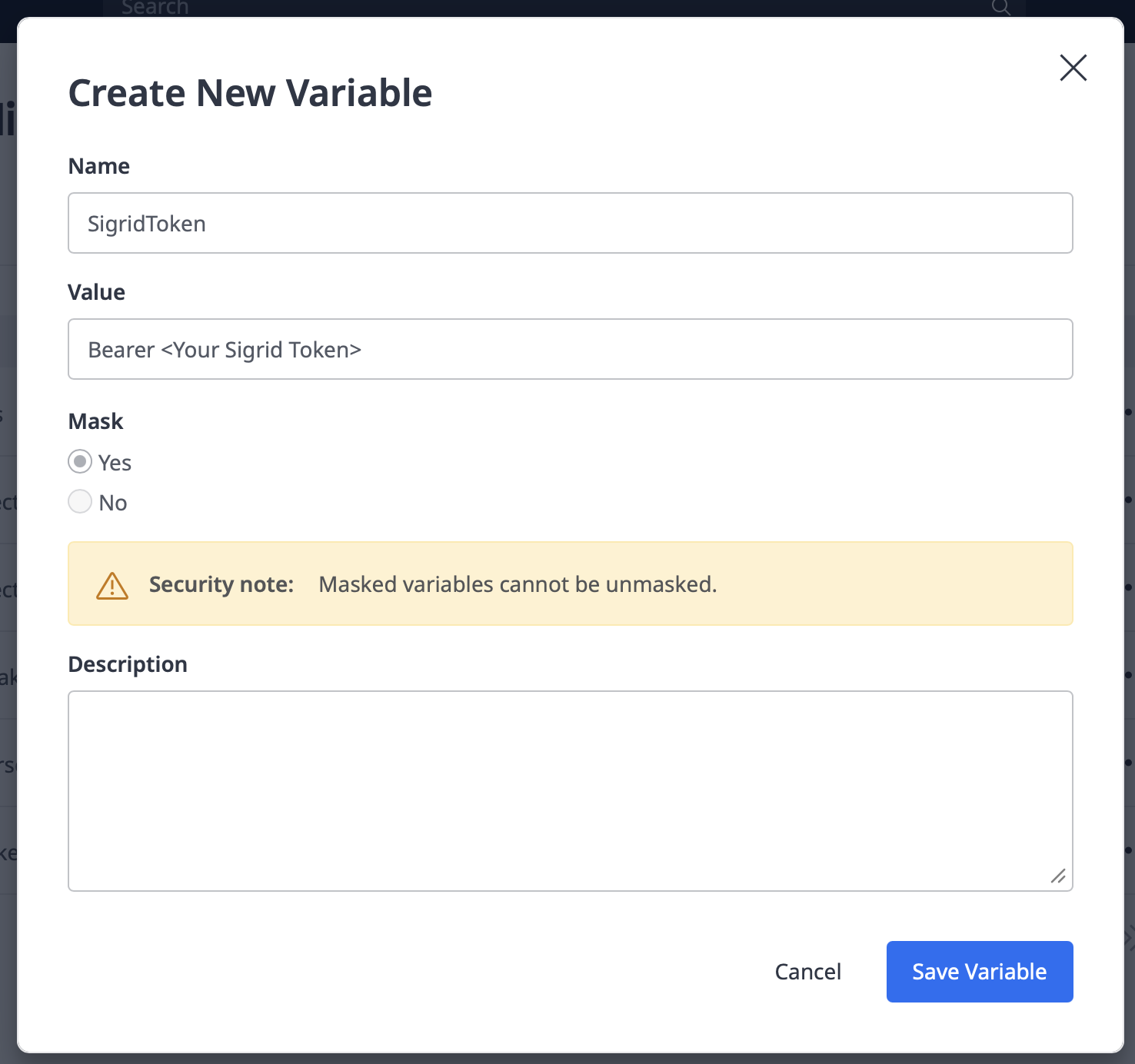
Please note: the word Bearer must be part of the variable value. Mendix Pipelines cannot combine a variable with other text, so writing Bearer $SigridToken in the header field does not work.
Step 2: Add a POST request step to your pipeline
- If you do not have a pipeline yet, click Design pipeline and choose Empty pipeline. If you already have one, click Edit pipeline on the Designs page. Either way, you end up in the edit pipeline screen.
- Use the plus button to add a step to your pipeline.

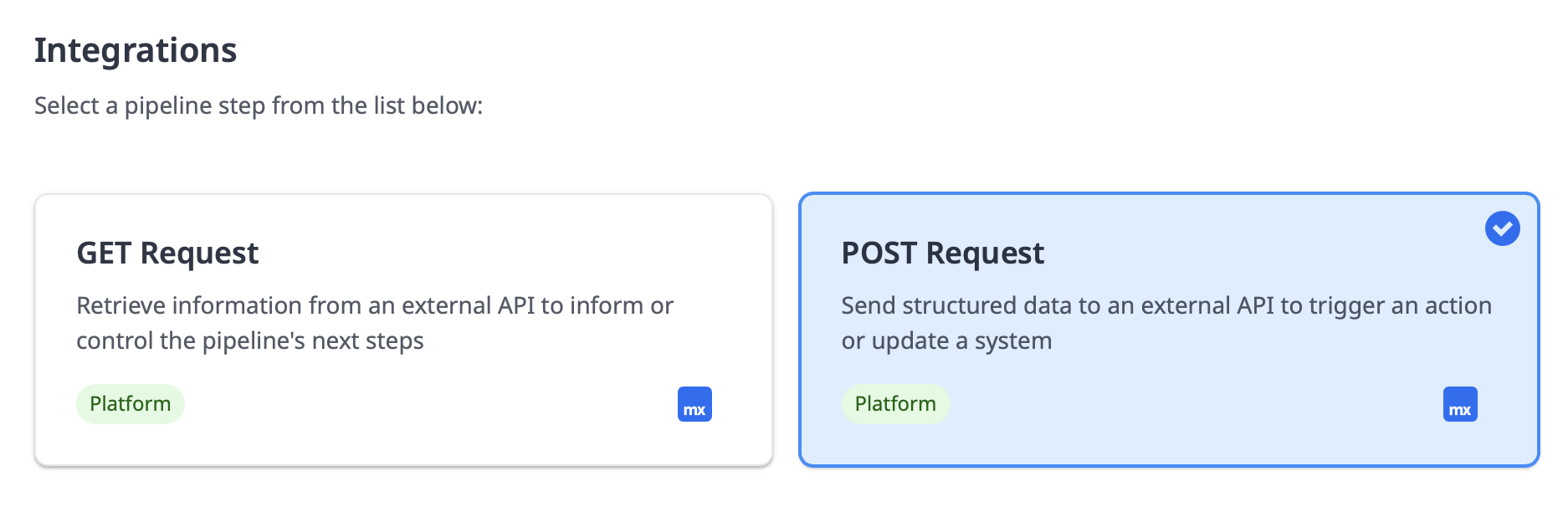
- In the screen that appears, select the Integrations tab.
- Select the POST request option.
- Click the button to start configuring your step.
Step 3: Configure the POST request step
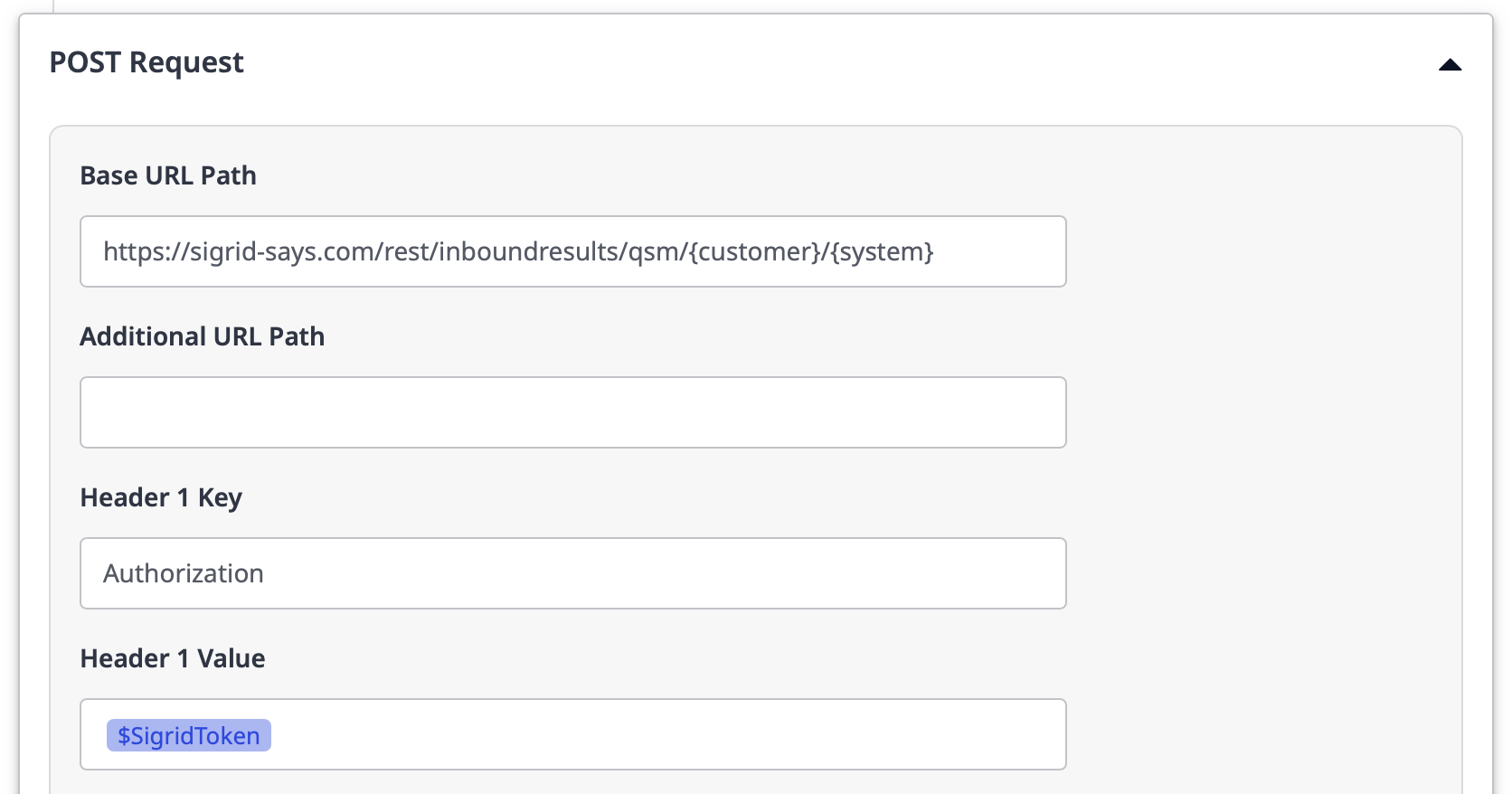
Fill in the form as follows:
| Field | Value |
|---|---|
| Base URL Path | https://sigrid-says.com/rest/inboundresults/qsm/{customer}/{system} |
| Header 1 Key | Authorization |
| Header 1 Value | $SigridToken, or whatever you named your variable in step 1 |
Then click Save and activate.
Verifying the integration
Run your pipeline. A successful POST request step means the scan has been triggered, not that it has finished. It might take a few minutes before you see the new results appear in Sigrid.

Contact and support
Feel free to contact SIG’s support team for any questions or issues you may have after reading this documentation or when using Sigrid.