

You can use these integrations to check Sigrid findings as you work on your code, triage findings, and export findings to your issue tracker if you're not able to fix them right away.
Have you tried them? We'd love your feedback: Share it in our short survey.
Integrating Sigrid CI with Gerrit
Gerrit is a code review platform. Unlike other development platforms (e.g. GitHub), Gerrit does not include a Continuous Integration pipeline. This means Gerrit is typically used in combination with a Continuous Integration platform, such as Jenkins.
Since Sigrid CI runs as part of your Continuous Integration pipeline, this makes the integration for Gerrit a bit different from other platforms:
- Make sure Sigrid CI is integrated into your Continuous Integration pipeline. For example, if you are using Gerrit in combination with Jenkins, follow the instructions for Jenkins.
- Next, follow the instructions below so that Sigrid CI understands you are using Jenkins in combination with Gerrit.
Required environment variables
If you add the following environment variables, Sigrid CI will automatically send feedback to Gerrit as part of every run. Remember, you need to define these environment variables in your Continuous Integration pipeline, e.g. Jenkins, since that is where Sigrid CI “lives”.
| Name | Description |
|---|---|
GERRIT_BASE_URL |
The base URL of the Gerrit server, starting with https://. |
GERRIT_REPO |
The name of the (Git) repository as used within Gerrit. |
GERRIT_BRANCH |
The branch name of the (Git) repository as used within Gerrit. |
GERRIT_CHANGE_ID |
The Gerrit change ID for which you are posting feedback. |
GERRIT_USER [1] |
Credentials for the Gerrit user that will post on behalf of Sigrid CI. |
GERRIT_PASSWORD [1] |
Credentials for the Gerrit user that will post on behalf of Sigrid CI. |
[1] Sigrid CI cannot use the newer token-based authentication that was introduced in Gerrit 3.13, to retain backward compatibility with older Gerrit versions.
Usage
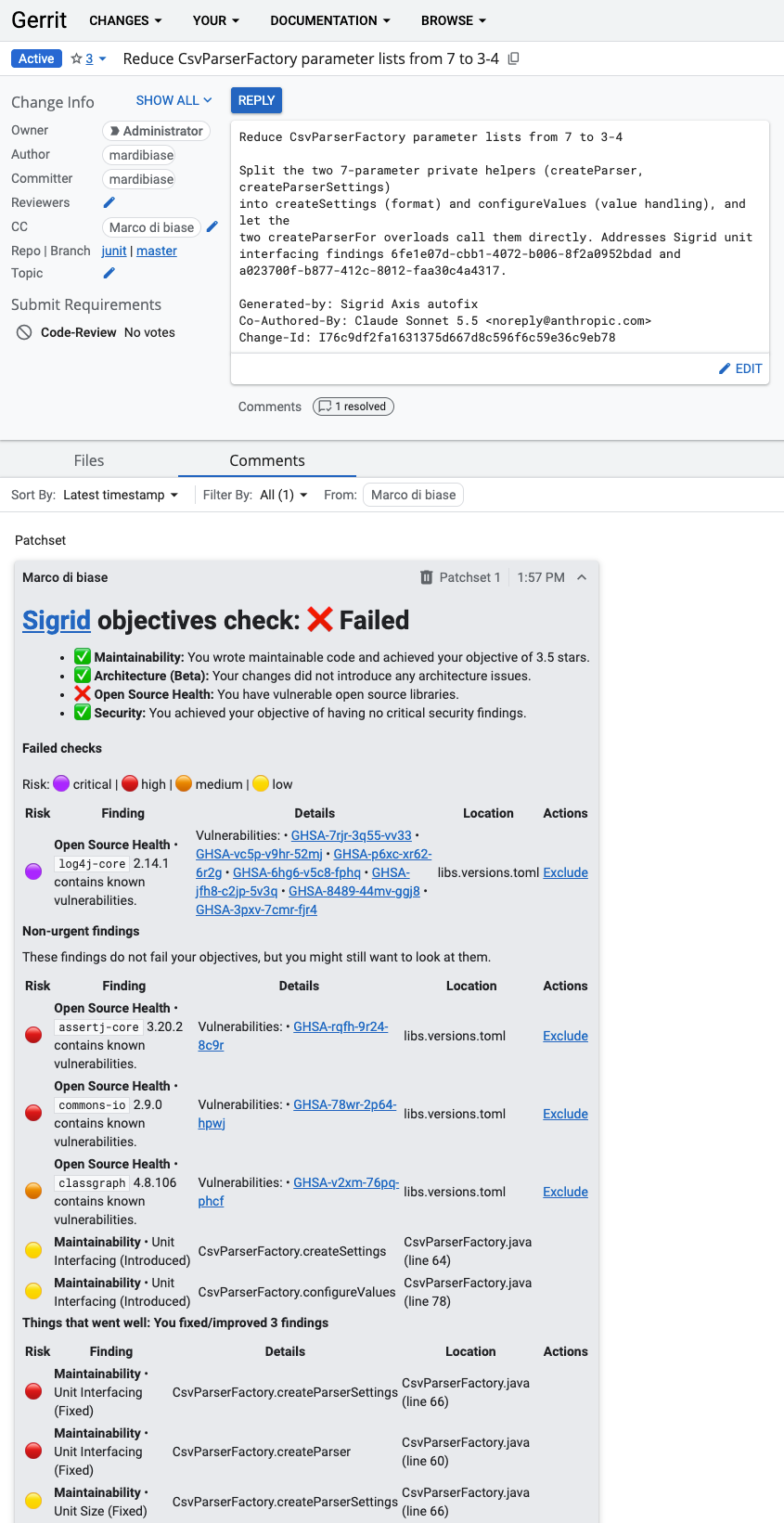
If you have configured the integration between Sigrid CI, Gerrit, and Jenkins based on the instructions above, you will automatically receive feedback from Sigrid CI in Gerrit. The feedback is structured as explained in the Sigrid CI documentation.
Contact and support
Feel free to contact SIG’s support team for any questions or issues you may have after reading this documentation or when using Sigrid.