

You can use these integrations to check Sigrid findings as you work on your code, triage findings, and export findings to your issue tracker if you're not able to fix them right away.
Have you tried them? We'd love your feedback: Share it in our short survey.
Triaging security and reliability findings with auto-fix agents
This guide walks through using an auto-fix agent to get through a backlog of security and reliability findings, assessing each one against how your system is actually deployed.
A security finding is a hypothesis: this code pattern may be exploitable. Confirming or dismissing it takes context that is not at the finding’s location, such as where the data comes from, what validated it earlier, and whether the endpoint is reachable from outside. One finding is a few minutes of reading. A few hundred of them is why the backlog is still sitting there.
Reach for it when you need every finding assessed against your own deployment, with the reasoning written down for an audit or for the next person.
The agent assesses and records the outcome. Fixing what it found is separate work in its own session, covered further down. For maintainability findings, where the agent diagnoses and refactors in one loop, see reducing technical debt.
Prerequisites
- A system published to Sigrid, with security or reliability findings to work through.
- An agentic CLI that can call MCP tools, with
security:get_findings,reliability:get_findings, andupdate_finding_status. The configuration below uses Claude Code. - A Sigrid API token for the MCP server, which the plugin installer asks for once.
How the agent helps
Volume is what it takes off you. Sigrid hands over the ranked list with locations, CWE identifiers, and severity, and the agent reads the code around each finding and traces the data back to where it enters the system. That tracing is mechanical, so it is work an agent can do finding after finding, and it is the first thing a person drops when the list is long.
There are two things it cannot bring, and they decide whether a run comes out useful or confidently wrong.
It has no reachability model of your system. It cannot know that a service is internal-only, that a gateway strips a client-supplied header, or that a queue is only ever fed by another service you own. Handed a finding it cannot resolve from the code, it guesses, and it guesses in whichever direction your prompt leaned. Prompt for false positives and you will get false positives.
It also has no burden of proof unless you give it one. Nothing about the task stops it from dismissing a finding by rewording it, because “reviewed, not an issue” satisfies the request as well as a real assessment does.
Both gaps close with the same two things: a context file holding the deployment facts the code does not show, and a rule that every verdict points at a line. Those are steps 2 and 3 below. You write the facts, and the call on each finding stays with you.
Set up triage
Everything here applies to any agentic CLI. The configuration below is for Claude Code, since that is the only CLI we ship a plugin for, and every agentic CLI has its own version of the four primitives involved:
| Primitive | Generic | Claude Code |
|---|---|---|
| Persistent instructions | context file | CLAUDE.md |
| Tool access | MCP server | sigrid-ai-toolkit plugin |
| Reusable procedures | skills | sigrid-ai-toolkit plugin |
| Automatic enforcement | hook, git pre-commit, or a scheduled job | PostToolUse hook, or a scheduled CI job |
1. Install the plugin
/plugin marketplace add Software-Improvement-Group/sigrid-ai-toolkit
/plugin install sigrid@sigrid-ai-toolkit
/sigrid:setup
The plugin only works in Claude Code. If you use a different agentic CLI, configure the Sigrid MCP server by hand with the installation instructions, then take the skills from the sigrid-ai-toolkit and adapt them to whatever that CLI calls a skill or a rules file. See before you start for the identifiers Sigrid needs and where to put them.
Which security model you triage against changes the finding list, so decide before you start. security:get_findings uses OWASP Top 10 unless you changed it, and you can pass model for sigsec, pci4, c25, or one of the ASVS variants. Reliability defaults to the SIG Code Reliability Top 10 (sigrel). The tools reference has the full list.
Two filters shape the list as much as the model does. severity_min sets the floor and path_prefix narrows the area, and both default to something broader than you probably want for a first run. Findings you have already marked FIXED or FALSE_POSITIVE are excluded by default. That is usually what you want.
Each finding comes back with its file and line, a severity, an impact and exploitability score, a CWE identifier, the model categories it falls under, its current triage status, and a UUID. The agent needs that UUID to record a decision later, so keep the findings and the decisions in the same session.
2. Write down your reachability facts
This step decides whether the run is worth anything. Everything the agent cannot derive from the code goes in your agent’s context file, such as AGENTS.md or CLAUDE.md, once:
## Security context

- `internal-api/` is not reachable from the internet. The gateway terminates TLS
  and strips client-supplied headers.
- All external input arrives through `api/controllers/` and is validated by
  `RequestValidator` before reaching a service.
- `tools/` and `scripts/` are developer tooling, not deployed. Injection findings
  there are low priority, not false positives.
- We treat any finding in code that handles authentication or authorization as
  HIGH regardless of the reported severity.
Write these in specific terms. “Internal” means nothing to an agent. “Not reachable from the internet, the gateway strips client headers” is a fact it can reason from. Without this file the agent re-derives your architecture from scratch every session, badly, and you get assessments about the abstract pattern instead of about your deployment.
3. Set the triage rules
Name the statuses and require a rationale for each one:
## Security triage rules

- Assess only. Do not change code unless I ask in that session.
- Every status change needs a remark saying why, with the file and line that
  justifies it.
- FALSE_POSITIVE only when you can point to the code that makes it unreachable
  or already-mitigated. If the reasoning depends on an assumption about
  deployment, it is not a false positive. Flag it for me.
- ACCEPTED for real-but-tolerated risk, with the reason recorded.
- WILL_FIX for anything real that should be fixed. Do not fix it now.
- When you are unsure, say unsure. An unsure finding stays RAW.
In our experience the last two lines carry most of the value. An agent that has to justify a false positive with a code reference cannot dismiss a finding by rewording it, and an agent that is allowed to say “unsure” stops manufacturing confidence. Keep the assess-only rule in this file and not only in your prompt, since a rule that lives in a prompt applies to one session.
Valid statuses for security and reliability findings are RAW, REFINED, WILL_FIX, FIXED, ACCEPTED, and FALSE_POSITIVE. See the status reference.
Both blocks are specific to triage, and everything in your context file is loaded whether you are triaging or not. Once they settle, move them into a file of their own, such as SECURITY_CONTEXT.md, and reference it from your context file. If the run itself becomes routine, a repository-level skill is the better home.
Use a reasoning model at high effort, since every verdict here is a judgment call about your deployment. See LLM model selection for the tiers and for fanning findings out to subagents.
What a session looks like
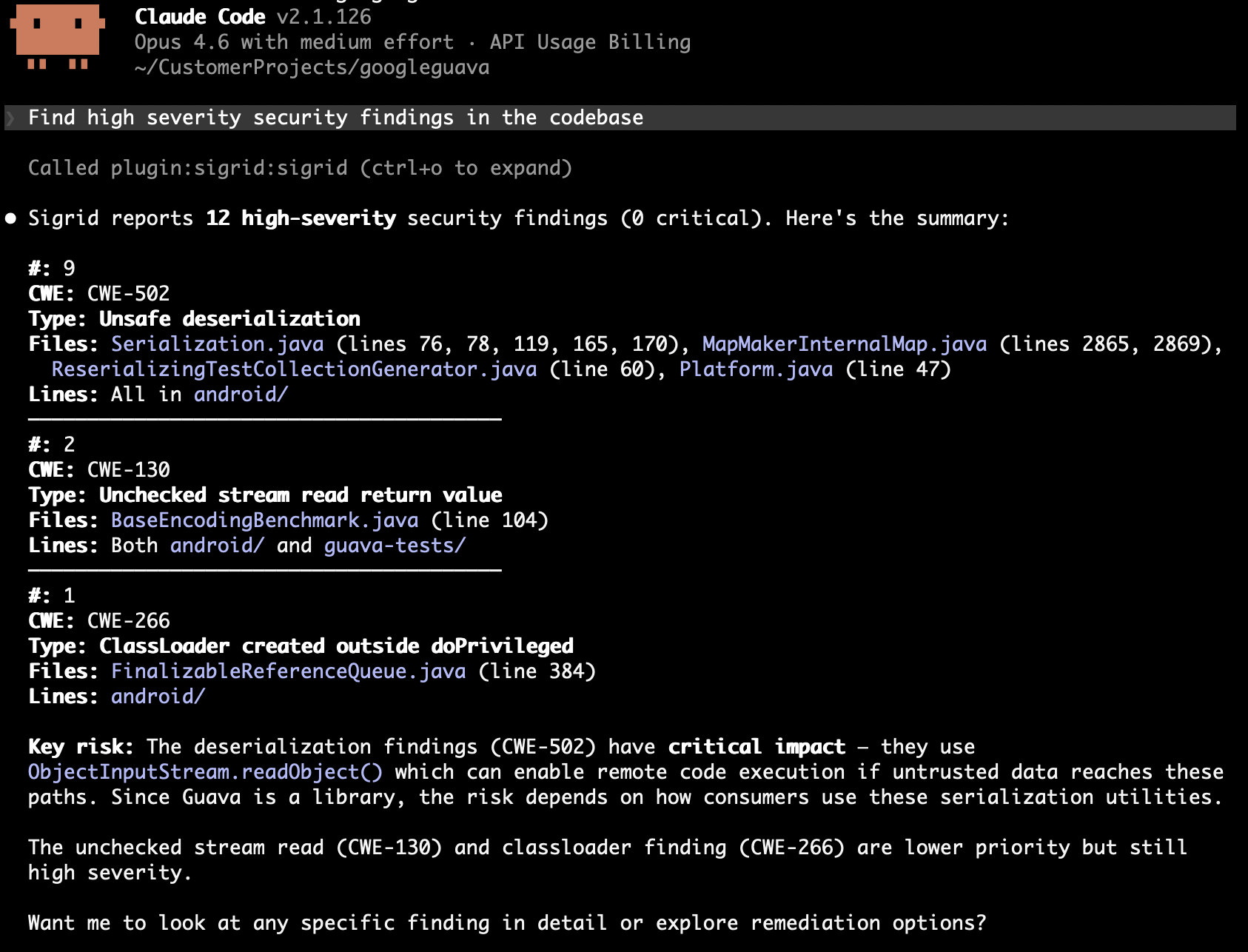
We would start narrow: one severity, one area, enough findings to calibrate on and few enough to check by hand. That makes a first prompt something like this:
Get HIGH and CRITICAL security findings for acme/payment-platform under
api/controllers/. For each one: trace where the input comes from and what
validates it, then tell me whether it is exploitable given our security
context. Don't update anything yet. Show me your assessment first.
Per finding you get three things back:
- The finding, with its CWE, location, and reported severity.
- The trace: where the value enters the system, what touched it on the way, and whether anything validated it.
- The verdict: exploitable, mitigated, or unsure, with the code that decides it.
The trace is the part you read.
Hold the output to one standard: every verdict cites code. “Not exploitable, input is validated” is not an assessment. “Not exploitable, because RequestValidator.validateAmount rejects non-numeric input at RequestValidator.java:88, before this line runs” is one, because you can go and read line 88. Anything that cannot point at a line is unsure, whatever it has been labeled. That is the rule that catches a verdict reasoned from the pattern and not from your codebase.
Check that first batch yourself, finding by finding, testing whether the traces are real and whether the verdicts follow from them. When they do, let it record:
Update the statuses for the findings we agreed on, with the rationale as the
remark. Leave the two you were unsure about as RAW.
Then widen a batch at a time, by severity, by path, or by model. Ten findings you actually read beat a hundred you skimmed, and batch size is what keeps that true.
Reliability findings use the same loop with a different question. Instead of asking whether an attacker can reach the code, you ask what happens when it fails: swallowed exceptions, resources that leak on the error path, races under concurrency.
Get reliability findings for acme/payment-platform with severity HIGH or above.
Focus on error handling and resource management. For each one, tell me what
happens at runtime when the failure occurs, and whether we notice.
“Whether we notice” is the useful part. A caught-and-ignored exception in a nightly batch job that reports nothing is worse than its severity suggests.
Fixing what you found
Fix in a separate session from triage, and take the WILL_FIX list one finding at a time.
Fix the finding at PaymentController.java:142 that we marked WILL_FIX.
Show me the diff and explain why the fix closes the vulnerability. Do not
touch anything else.
Then review it as a security change. Does the fix address the mechanism, or only the symptom the scanner matched on? Ask it to explain the exploit the fix prevents, and get a second pair of human eyes on the diff. Keep it to one fix per branch, out of your feature work. The triage and execute pattern generalizes this split.
Check that the triage holds up
The failure mode to watch for is a run that looks productive. If the agent dismissed most of a HIGH-severity batch, something is wrong: either your prompt leaned that way, or it is reasoning from an assumption it has not stated. Spot-check three of those dismissals properly, and reset them to RAW if the reasoning does not hold. This is the most common way we see the whole loop go bad.
A run that resolved every finding confidently is a run that guessed somewhere, so unsure findings existing at all is a good sign. Ask directly:
Which of these did you have to make an assumption about, and what was it?
If the assumptions it names contradict your security context, the reachability facts are missing from the file or too vague. Fix that in the file, not in the next prompt.
The remark outlives the session, so read a few of them the way the next person will. If one says “reviewed, not an issue”, that work gets done again. And check the recorded statuses against your own decisions, not against the agent’s summary of them. Findings you already triaged coming back means the statuses never landed, or a new analysis has run. Findings for code that no longer exists means Sigrid analyzed an older branch, which you can check in configuration.
Where to go next
- Reducing technical debt with auto-fix agents for maintainability, where the agent refactors as well as diagnoses
- Auto-fix agents MCP reference for tools, models, and statuses